I think these prompts will make things easier for those who have basic knowledge and don't have the help of a web developer.
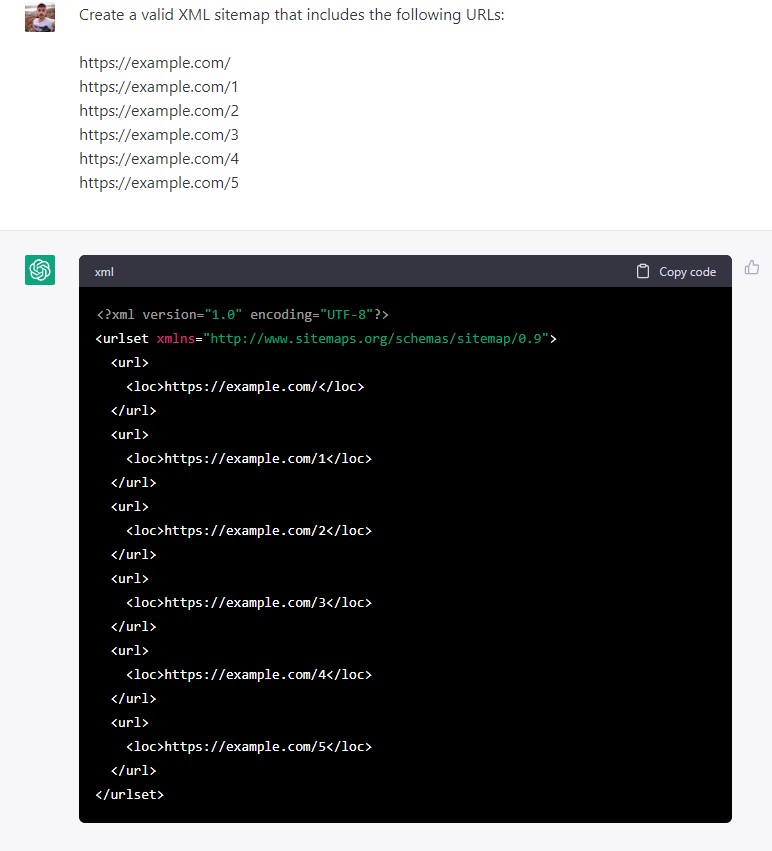
ChatGPT can give you excellent results when you need to create your own static XML site map.
Command Prompt
ChatGPT Reply
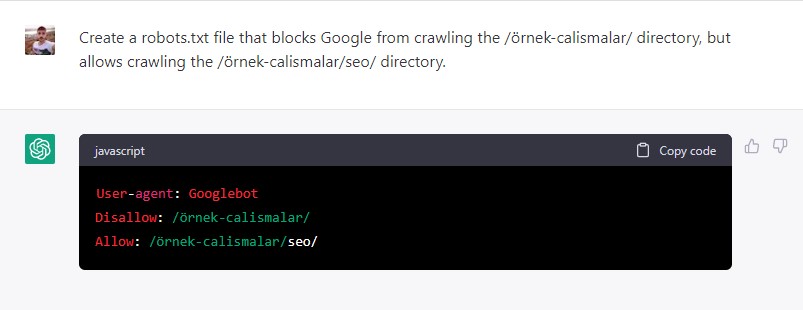
Most website owners don't need to edit the robots.txt file, but if they do, ChatGPT can help those with basic knowledge.
Command Prompt
Create a robost.txt file for https://example.com/ that blocks the /sample-works/ directory but allows crawling the /sample-works/seo/ directory.
ChatGPT Yanıtı
Command Prompt:
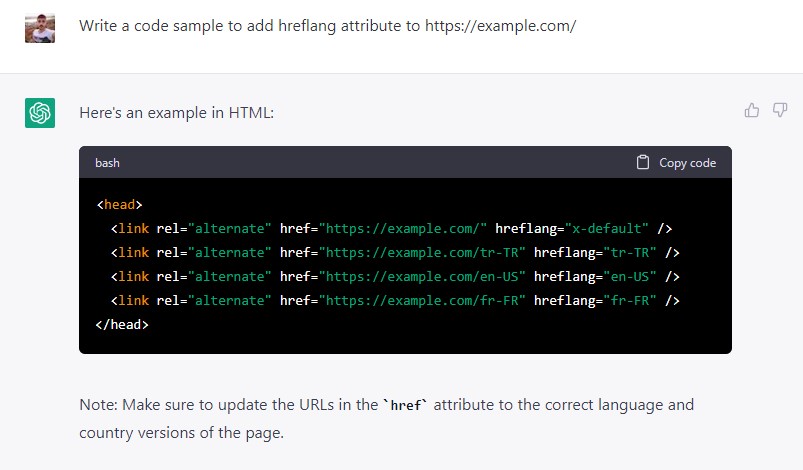
Write a code sample to add a hreflang attribute to https://example.com/.
ChatGPT Response:
Command Prompt:
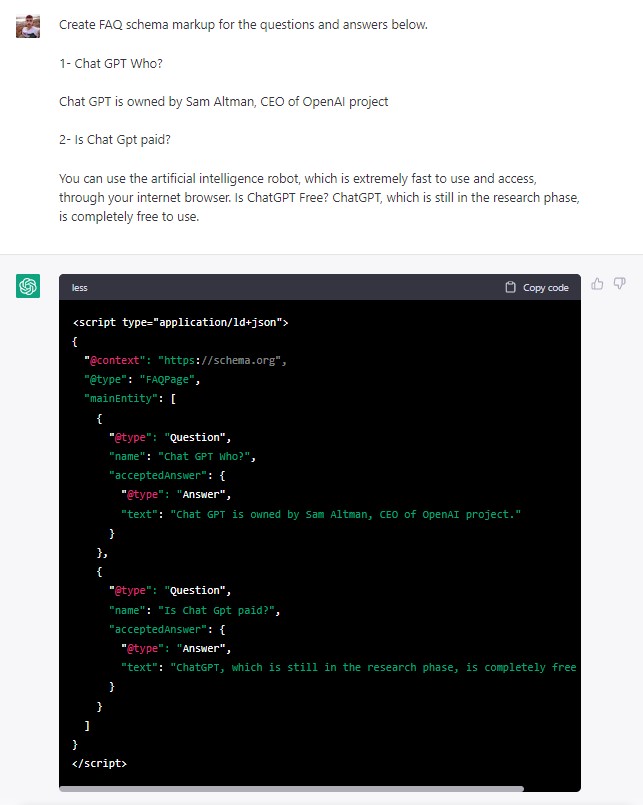
Create FAQ schema markup for the questions and answers below.
ChatGPT Answer:
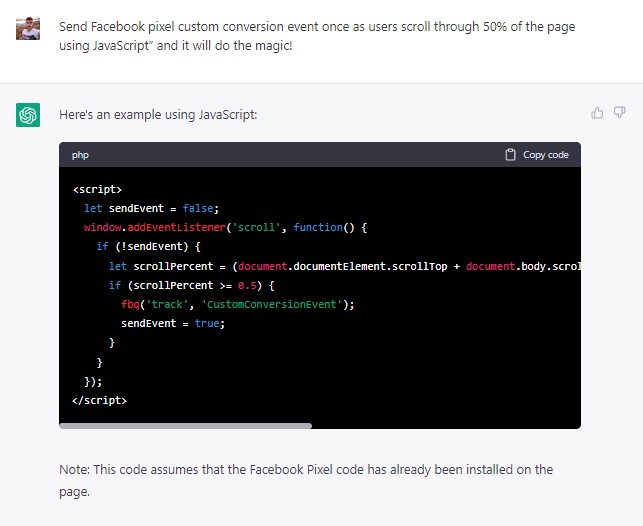
If you want to track when users perform specific actions on your site with custom conversion, ChatGPT can help you with that.
Command Prompt:
Send the Facebook pixel custom conversion event when users scroll 50% of the page.
ChatGPT Response:
Command Prompt
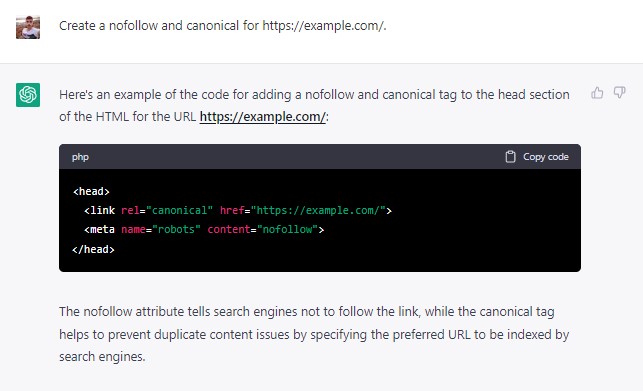
Create a nofollow and canonical for https://example.com/.
ChatGPT Reply
Command Prompt:
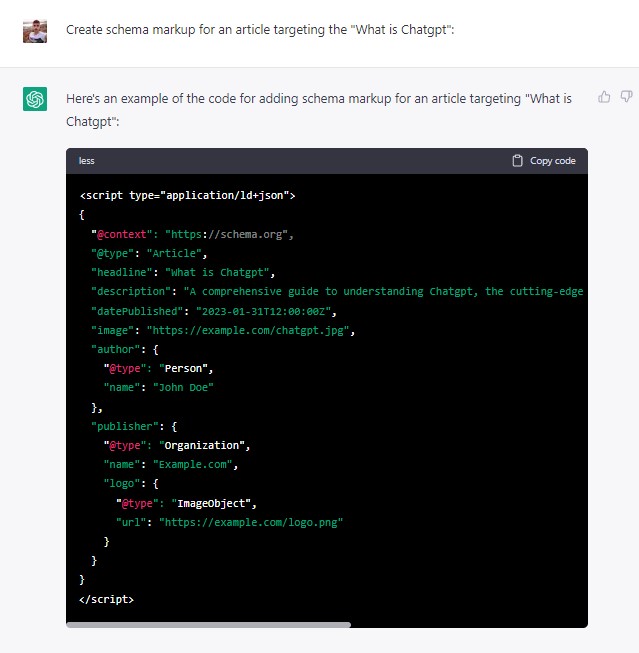
Create schema markup for an article targeting a "keyword":
ChatGPT Response:
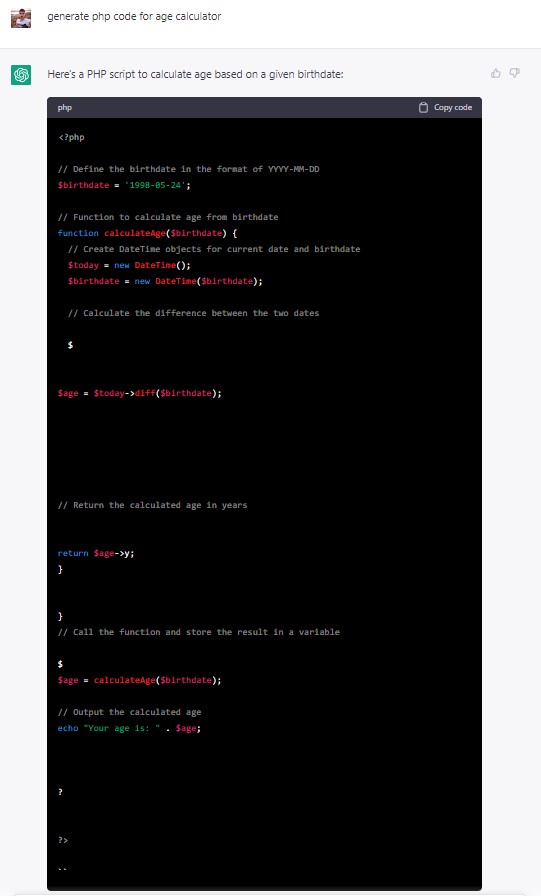
You can ask it to create program calculators to publish on your site. For example, let's say you are targeting a word like "Age Calculator" and you need a tool for such a page.
ChatGPT gives you the necessary code for this.
You can also ask it to explain how to add this code to WordPress or any other CMS.
Command Prompt:
Can you write me php code for the age calculator tool?
ChatGPT Answer:
I hope it has been a useful and stimulating compilation for all readers.